
In this short tutorial I will explain how to deploy Forgejo into a Kubernetes Cluster. Forgejo is a self-hosted lightweight source code management solution based on Git. Forgejo is a good alternative to Github if you want to host your own Git Repository server.
Forgejo was founded in 2022 as a fork of the Gitea project. In the meantime it becomes a noteable an relevant Open Source alternative to Github. The project is community driven and maintained by the Codeberg e.v. If you have an open source project you can host your project directly on codeberg.org . For private repositories you can install your own instance of Forgejo.
There are several ways how you can install Forgejo. As it is provided as a Docker Image you can easily start the system with docker compose. See the official documentation.
Kubernetes
If you have a Kubernets cluster it is easy to setup a production ready deployment of Forgejo. I assume that you are familiar with Kubernetes (see also my Kubernetes Setup Project Imixs-Cloud on Gihub ) and I assume you have some kind of storage solution and ingress solution already installed.
I split the deployment into two parts, each with a separate deyployment .yaml file
- Database – 010-postgresql.yaml
- Git Repo – 020-forgejo.yaml
The Database
For productive environments it is recommanded to replace the build in SQLLight database with MySQL or Postgres. For a kubernetes deployment this is the recommanded way.
In the following deployment example I deploy a postgreSQL database for forgejo
---
###################################################
# Deployment PostgreSQL
###################################################
apiVersion: apps/v1
kind: Deployment
metadata:
  name: forgejo-postgres
  namespace: my-git-repo
  labels:
    app: forgejo-postgres

spec:
  replicas: 1
  selector:
    matchLabels:
      app: forgejo-postgres
  strategy:
    type: Recreate
  template:
    metadata:
      labels:
        app: forgejo-postgres
    spec:

      containers:
      - env:
        - name: POSTGRES_DB
          value: forgejo
        - name: POSTGRES_USER
          value: forgejo
        - name: POSTGRES_PASSWORD
          value: xxxx

        image: postgres:16-alpine
        name: forgejo-postgres

        readinessProbe:
          exec:
            command: ["pg_isready", "-U", "forgejo"]
          initialDelaySeconds: 5
          periodSeconds: 10
        livenessProbe:
          exec:
            command: ["pg_isready", "-U", "forgejo"]
          initialDelaySeconds: 15
          periodSeconds: 20


        ports:
          - containerPort: 5432
        volumeMounts:
        - mountPath: /var/lib/postgresql/data
          name: forgejo-dbdata
          subPath: postgres
      restartPolicy: Always
      volumes:
      - name: forgejo-dbdata
        persistentVolumeClaim:
          claimName: forgejo-dbdata


---
###################################################
# Data Volume
###################################################
apiVersion: v1
kind: PersistentVolumeClaim
metadata:
  name: forgejo-dbdata
  namespace: my-git-repo
spec:
  accessModes:
    - ReadWriteOnce
  resources:
    requests:
      storage: 10Gi
  volumeMode: Filesystem
  volumeName: "forgejo-dbdata"
  storageClassName: ""

---
kind: PersistentVolume
apiVersion: v1
metadata:
  name: forgejo-dbdata
spec:
  accessModes:
  - ReadWriteOnce
  capacity:
    storage: 10Gi
  csi:
    driver: rbd.csi.ceph.com
    fsType: ext4
    nodeStageSecretRef:
      name: csi-rbd-secret-ceph-abpua
      namespace: ceph-system
    volumeAttributes:
      "clusterID": "xxxxxxxxxxx"
      "pool": "kubernetes"
      "staticVolume": "true"
      "imageFeatures": "layering"
    volumeHandle: "forgejo-dbdata"
  persistentVolumeReclaimPolicy: Retain
  volumeMode: Filesystem


---
###################################################
# Network
###################################################
apiVersion: v1
kind: Service
metadata:
  name: forgejo-postgres
  namespace: my-git-repo
  labels:
    app: forgejo-postgres
spec:
  clusterIP: None
  ports:
    - name: tcp
      port: 5432
  selector:
    app: forgejo-postgres
This deplyoment is quite easy and assumes that you have a storage solution (in this example a ceph cluster) to provide a data volume for the postgresql service.
The Git Repo
The second part of our deployment is the forgejo service – providing the git repo and the web applicaiton. Also here we need a data volume for the git repository and configuration and also a ingers network to access the application via HTTPS.
---
###################################################
# Deployment Forgejo
###################################################
apiVersion: apps/v1
kind: Deployment
metadata:
  name: forgejo-git
  namespace: my-git-repo
  labels:
    app: forgejo-git
spec:
  replicas: 1
  selector:
    matchLabels:
      app: forgejo-git
  strategy:
    type: Recreate
  template:
    metadata:
      labels:
        app: forgejo-git
    spec:

      containers:
      - env:
        - name: FORGEJO__security__INSTALL_LOCK
          value: "true"
        - name: FORGEJO__database__DB_TYPE
          value: postgres
        - name: FORGEJO__database__HOST
          value: forgejo-postgres:5432
        - name: FORGEJO__database__NAME
          value: forgejo
        - name: FORGEJO__database__USER
          value: forgejo
        - name: FORGEJO__database__PASSWD
          value: xxxx
        - name: FORGEJO__server__DOMAIN
          value: git.forgejo.foo.com
        - name: FORGEJO__server__ROOT_URL
          value: https://git.forgejo.foo.com/
        - name: FORGEJO__server__SSH_DOMAIN
          value: git.forgejo.foo.com
        - name: FORGEJO__service__DISABLE_REGISTRATION
          value: "true"
        # Mail
        - name: FORGEJO__mailer__ENABLED
          value: "true"
        - name: FORGEJO__mailer__PROTOCOL
          value: "smtp"
        - name: FORGEJO__mailer__SMTP_ADDR
          value: "mailgateway.my-git-repo"
        - name: FORGEJO__mailer__SMTP_PORT
          value: "25"
        - name: FORGEJO__mailer__FROM
          value: "Webmaster <webmaster@foo.com>"
        # Layout
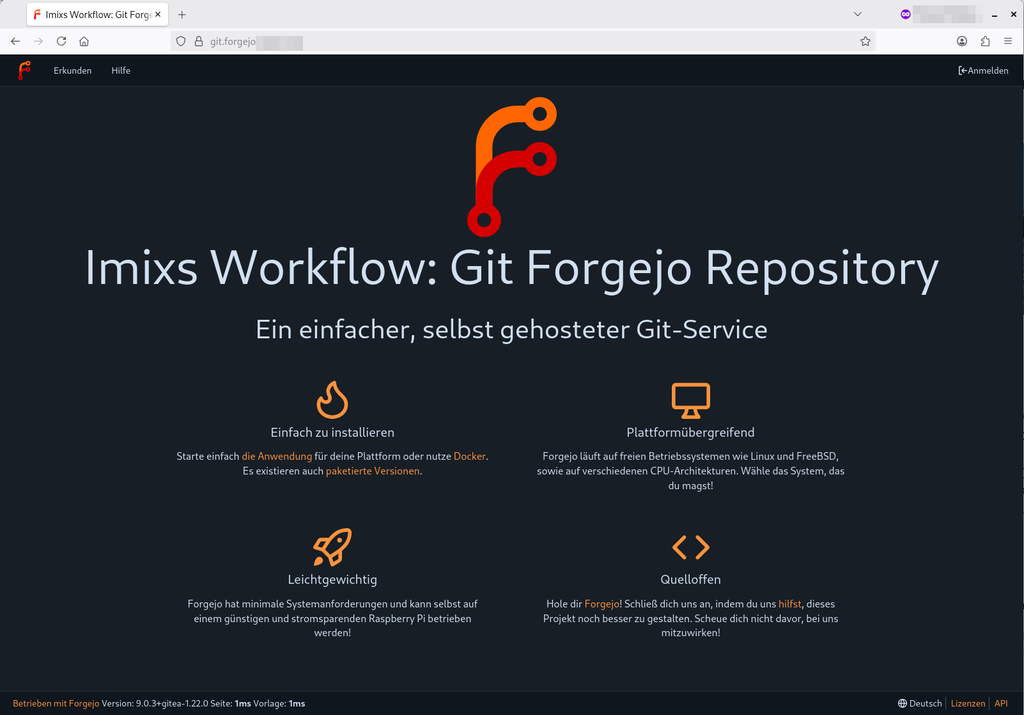
        - name: FORGEJO____APP_NAME
          value: "Imixs Workflow"
        - name: FORGEJO____APP_SLOGAN
          value: "Git Forgejo Repository"
        - name: FORGEJO__i18n__DEFAULT_LANG
          value: "en-US"
        - name: FORGEJO__ui__DEFAULT_THEME
          value: "forgejo-dark"

        image: codeberg.org/forgejo/forgejo:9
        name: forgejo
        startupProbe:
          httpGet:
            path: /api/healthz
            port: 3000
          failureThreshold: 30
          periodSeconds: 10

        readinessProbe:
          httpGet:
            path: /api/healthz
            port: 3000
          periodSeconds: 10

        livenessProbe:
          httpGet:
            path: /api/healthz
            port: 3000
          periodSeconds: 20
          failureThreshold: 3

        ports:
          - containerPort: 3000
            name: http

        volumeMounts:
        - mountPath: /data
          name: forgejo-data
          subPath: forgejo
      restartPolicy: Always
      volumes:
      - name: forgejo-data
        persistentVolumeClaim:
          claimName: forgejo-data

---
###################################################
# Data Volume
###################################################
apiVersion: v1
kind: PersistentVolumeClaim
metadata:
  name: forgejo-data
  namespace: my-git-repo
spec:
  accessModes:
    - ReadWriteOnce
  resources:
    requests:
      storage: 200Gi
  volumeMode: Filesystem
  volumeName: "forgejo-repodata"
  storageClassName: ""

---
kind: PersistentVolume
apiVersion: v1
metadata:
  name: forgejo-repodata
spec:
  accessModes:
  - ReadWriteOnce
  capacity:
    storage: 200Gi
  csi:
    driver: rbd.csi.ceph.com
    fsType: ext4
    nodeStageSecretRef:
      name: csi-rbd-secret-ceph-abpua
      namespace: ceph-system
    volumeAttributes:
      # abpua
      "clusterID": "xxxxxxxxxxxxxxxx"
      "pool": "kubernetes"
      "staticVolume": "true"
      "imageFeatures": "layering"
    volumeHandle: "forgejo-repodata"
  persistentVolumeReclaimPolicy: Retain
  volumeMode: Filesystem

---
###################################################
# Network
###################################################
apiVersion: v1
kind: Service
metadata:
  name: forgejo-git
  namespace: my-git-repo
  labels:
    app: forgejo-git
spec:
  ports:
    - name: http
      port: 3000
  selector:
    app: forgejo-git

---
kind: Ingress
apiVersion: networking.k8s.io/v1
metadata:
  name: forgejo-git-tls
  namespace: my-git-repo
  annotations:
    cert-manager.io/cluster-issuer: "letsencrypt-prod"
    # prevent the controller from redirecting (308) to HTTPS
    nginx.ingress.kubernetes.io/ssl-redirect: "false"
    nginx.ingress.kubernetes.io/proxy-body-size: "512m"

spec:
  ingressClassName: nginx
  tls:
    - hosts:
        - git.forgejo.foo.com
      secretName: tls-forgejo-git
  rules:
    - host: git.forgejo.foo.com
      http:
        paths:
          - path: /
            pathType: Prefix
            backend:
              service:
                name: forgejo-git
                port:
                  number: 3000
As you can see I added a mail configuration and my internet domain – in this example git.forgejo.foo.com. You can replace these values.
You can also adjust the other environment parameters to your needs. These are just examples.
Deplyoment
For the deployment just save the two files into a deployment directory and run:
kubectl create namespace my-git-repo
kubectl apply -f ./
As you can see from the configuraiton I disabled self-registration. To set the default admin password you can ssh the running forgejo container and run the following shell command:
su git -c "forgejo admin user create --username my-admin --password 'xxxxx' --email admin@foot.com --admin"This will create you first admin user to login to the dashboard.
Network Access
In my deployment I use only HTTPS and disabled the SSH port 22 that is also exposed by Forgejo. But depending on your Kubernetes architecture you possible may not expose port 22. I think it is not necessary at all as the HTTPS support is very comfortable in Forgejo using API access tokens.
Conclusion
That’s it. As you can see to run Forgejo in a Kubernetes cluster is easy to achiv. If you have comments or additional ideas – let me know!